
improved
All Plans
Filter Widget: Multiple Operators in Dynamic Filters
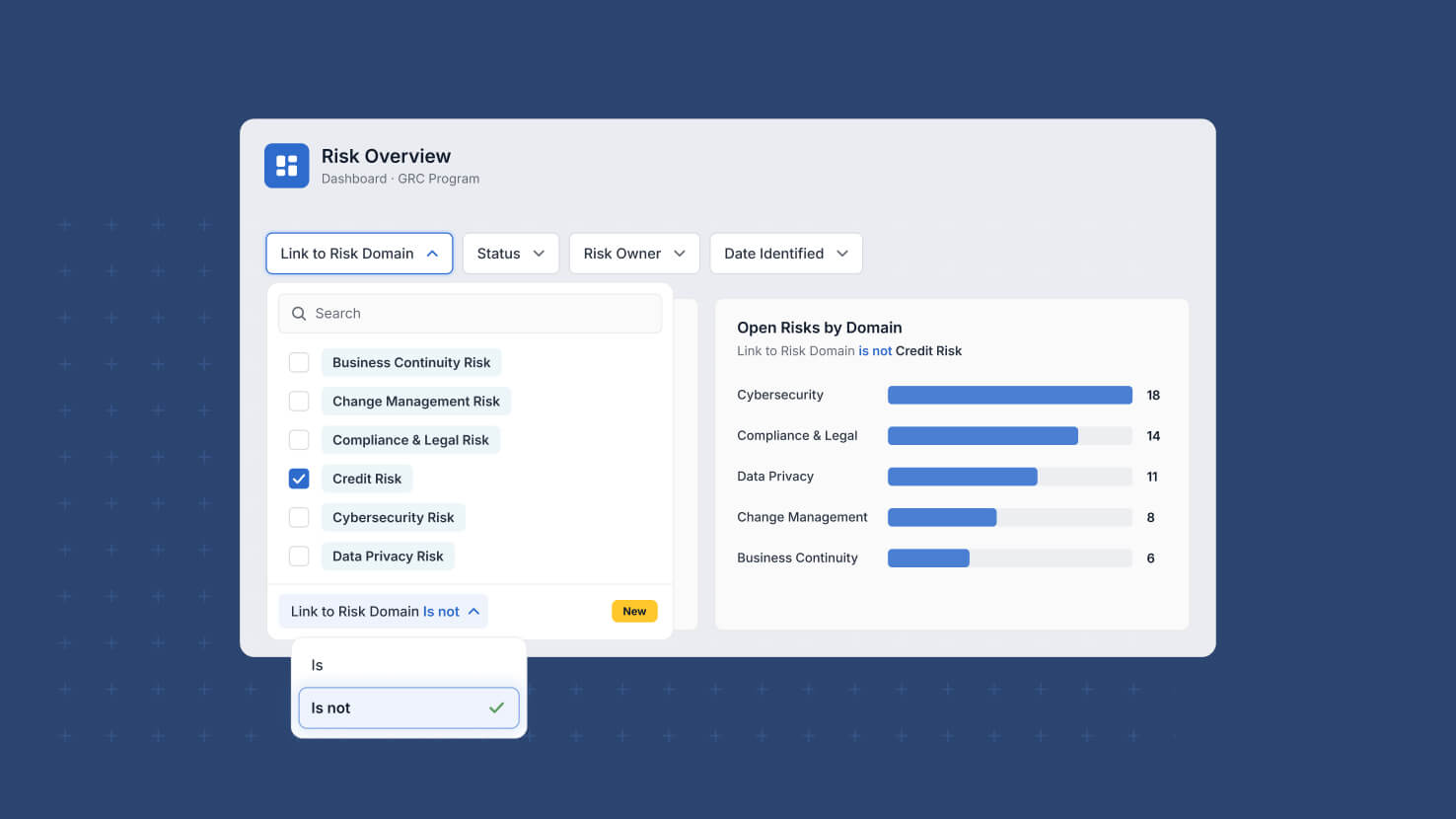
Dynamic filters on a dashboard could only ask one question: is the value this. Filtering a widget to everything except a status, or everyone other than one person, meant building a second widget to get there. Dynamic filters now carry an operator you choose, so a single control can include or exclude.
Key Highlights
- Is And Is Not: Every dynamic filter now supports both operators, so one control can narrow to a value or exclude it.
- Operator Per Filter: Each filter in the widget carries its own operator, so one can include while another excludes in the same set.
- A Chosen Default: Pick the condition that is pre-selected when someone expands the filter, instead of always starting from Is.
- Changed On The Dashboard: Viewers switch the operator from the filter's footer without opening widget settings or editing the dashboard.
- Open Work At A Glance: Exclusion makes the common service view simple, filtering a ticket dashboard to Status is not Closed without a second widget.
How It Works
- Open the widget's Filters tab, add a dynamic filter on a field, and set its Default Condition to the operator you want pre-selected.
- The Default Condition setting sits alongside Selections, Default Value and Sort Values in the filter's settings dropdown.
- On the rendered widget, the filter footer shows the field label next to the operator as a dropdown, for example Status Is.
- Viewers change the operator there, choose values, then apply by clicking Apply, clicking outside the control, or pressing Enter.
- Conditions from the filter widget combine with a connected widget's own filters using AND, so the widget's existing filters are preserved.
Dynamic filters can now exclude as easily as they include, with the default condition yours to set and the operator the viewer's to change.