
new
All Plans
Forms: Support for Checklist Field Type
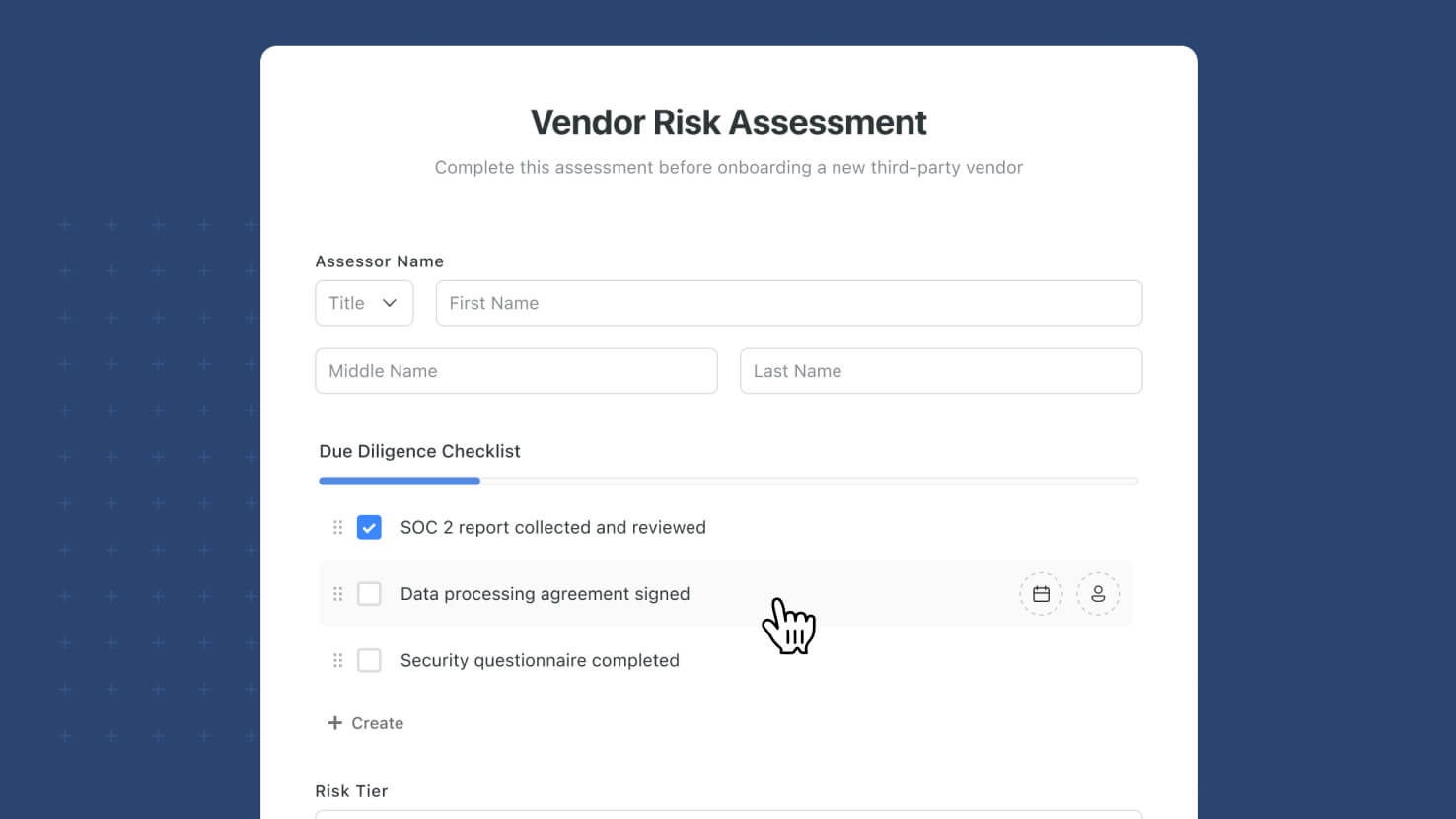
The Checklist field type is now supported on Form Views. Solution Managers can drag a Checklist field onto a form and configure it with all the standard form field settings plus Checklist-specific settings for entry creation, default-entry editing, Due Dates, and Assignments.
Key Highlights
- Full Checklist Support on Forms: Every Checklist field type property that works inside the main app now works on a Form View, so form respondents can complete a Checklist as part of a form submission.
- Standard Form Field Settings: Required, Help Text, Default Value, Show only when conditions are met, and Display help text as tooltip all work the same way they do for every other field type on a form.
- Checklist-Specific Settings: Users can create new entries (default on), Users can modify and delete default entries (default off), Enable Due Dates (default on), Enable Assignments (default on) — each configurable per form.
- Permission-Aware Assignee Picker: When Assignments are enabled, the Assignee picker only shows members that have access to the target table. Same behavior as the Checklist field inside the main app.
- Notification Routing: When a checklist item is assigned through a form submission, a notification is generated for the assignee. Internal forms attribute the assignment to the submitter; public (Shared) forms attribute the assignment to the SmartSuite Form system user.
- Team Assignments Supported: The existing checklist_team_assignment workspace flag is respected on forms too — when the flag is on, Checklist assignments to Teams work on forms the same way they work inside the main app.
How It Works
- Open a Form View in edit mode and drag the Checklist field from the Left Side panel onto the form.
- Configure standard form field settings (Required, Help Text, Default Value, display logic) in the field's edit mode.
- Configure Checklist-specific behavior: entry creation, default-entry editing, Due Dates, Assignments.
- Publish or share the form. Respondents can add checklist items (if enabled), edit default entries (if enabled), set due dates on items (if enabled), and assign items to members (if enabled).
- When items are assigned, notifications route to the assignee. Internal form submissions attribute the assignment to the submitter; public form submissions attribute the assignment to SmartSuite Form.
Available on all plans.