
new
Enterprise
Signature
SmartSuite Script Engine
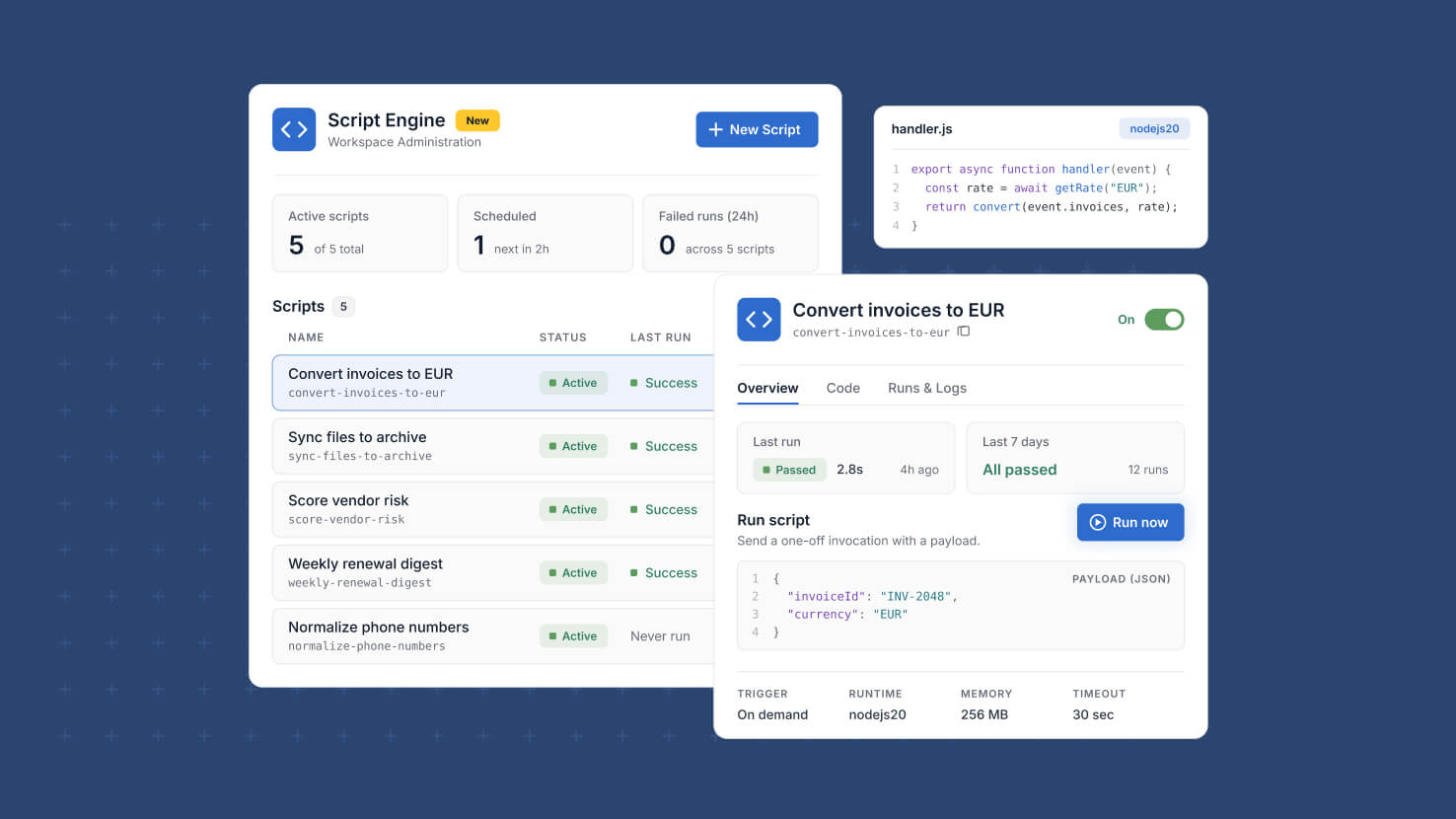
Scripts that sync data or call external services have needed a home where administrators can see what exists, when it runs, and whether it worked. Script Engine is that home: a new page in Workspace Administration to create, schedule, and monitor the JavaScript scripts in your workspace.
Key Highlights
- One Script Directory: Every script in the workspace in one list, showing status, schedule, and recent activity, with columns you can show, hide, or reset.
- Health At A Glance: Counts for active scripts, scheduled scripts, and failed runs in the last 24 hours sit above the list, and each one filters it in a click.
- Built-In Code Editor: Write or paste JavaScript, then set Memory and Timeout limits for each script.
- Secrets By Reference: Choose which workspace secrets a script can use, so credentials never live in code and rotate in one place on the Secrets page.
- Flexible Scheduling: Run scripts Hourly, Daily, or Weekly, or on a custom rate or cron expression.
- Run History: Every run is recorded with its execution mode and the script version that ran, with filtering, sorting, and per-run details.
- Evidence Collection On A Schedule: A daily script can pull control evidence from an external system into your compliance records, and its run history shows each collection ran.
How It Works
- Open Workspace Administration and select Script Engine, directly above Secrets.
- Create a script and enter a name and a Script ID of 3 to 63 lowercase letters, numbers, and hyphens, unique within the workspace.
- Write the JavaScript, set Memory and Timeout, open Choose secrets to tag the secrets it needs, and save.
- Saved scripts are validated, and the status badge shows Active, Inactive, or the validation failure, with the reason on hover.
- Duplicate a script to try a change safely; the copy needs its own Script ID before it saves.
- Export the script list to CSV, Excel, or Google Sheets, or a single script to JSON with secret references and never secret values.
Script Engine gives every script in the workspace a clear record: what it does, when it runs, which secrets it uses, and how each run went.